One patient, one record
The patient’s identity is the same in every department. Appointments, lab and imaging results, medication and treatment history are seen in one record — not in several separate systems.
Rodin 365 Health
From admission and the patient record through to treatment, diagnostics, revenue and management reporting, work is recorded in one database. Each task is entered once, where it is done, and the same data reaches the dashboard and the action. Rodin Prime answers, with the data source, and prepares a draft action; it is carried out only after your approval.
A report should not only say “what happened.” Rodin records the data at the point of work, makes the cause clear, and puts the action into effect in the same system.
The patient’s identity is the same in every department. Appointments, lab and imaging results, medication and treatment history are seen in one record — not in several separate systems.
Admission, the visit, the treatment order, the test and settlement are entered into the system where they are done. The same data reaches indicators and reports, without being entered again.
Service and revenue bottlenecks are identified. The recommendation is formed on the same data, and the action is carried out in the software itself, with an owner, a deadline and a monitoring indicator.
Dashboards are part of the same software. Centre, department and physician indicators are seen on a single database — without a separate transfer to a data warehouse.
Appointments, reminders, results, payment and follow-up are done in the patient app, on the same centre data, and the patient’s interaction completes the reports.
Rodin Prime answers, with a data source, and prepares a draft action. Until the manager approves it, no action is executed in the system.
The screens below are from the product itself and were taken with sample data. How the modules are combined with each centre’s needs is agreed in the initial review.
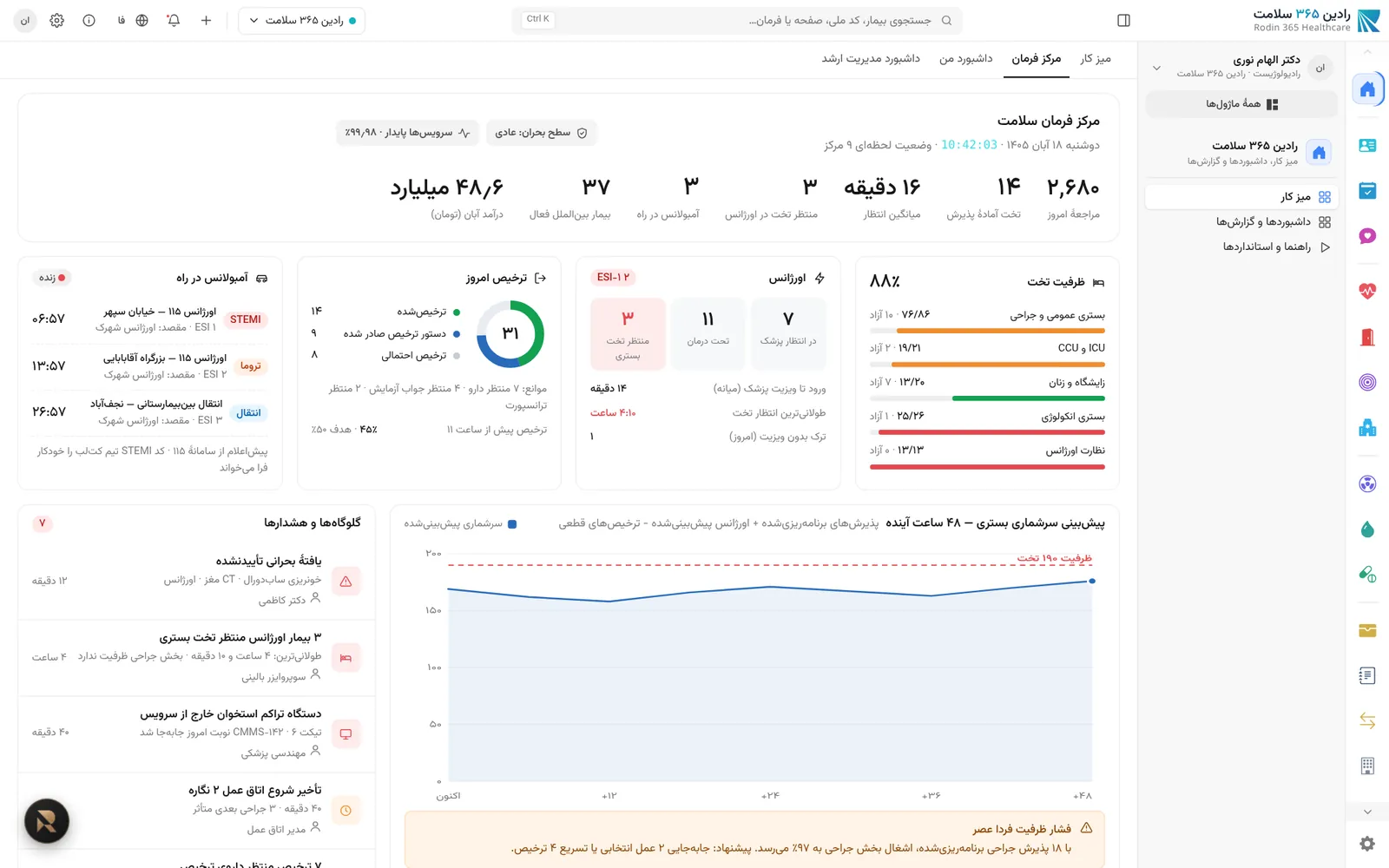
Bed capacity, emergency, discharge, ambulance and alerts on one page. The manager sees the centre’s status today, without waiting for the end-of-day report.
A real image of the software, with sample dataThe family of Rodin 365 Health capabilities, as they appear in the product.
The patient’s path from the appointment through to admission and discharge, in one workflow.
The lab, imaging and medication are connected to the same record and treatment order.
The revenue cycle alongside accounting and payroll, on the Rodin ERP.
Safety, patient satisfaction and data exchange, alongside management reporting.
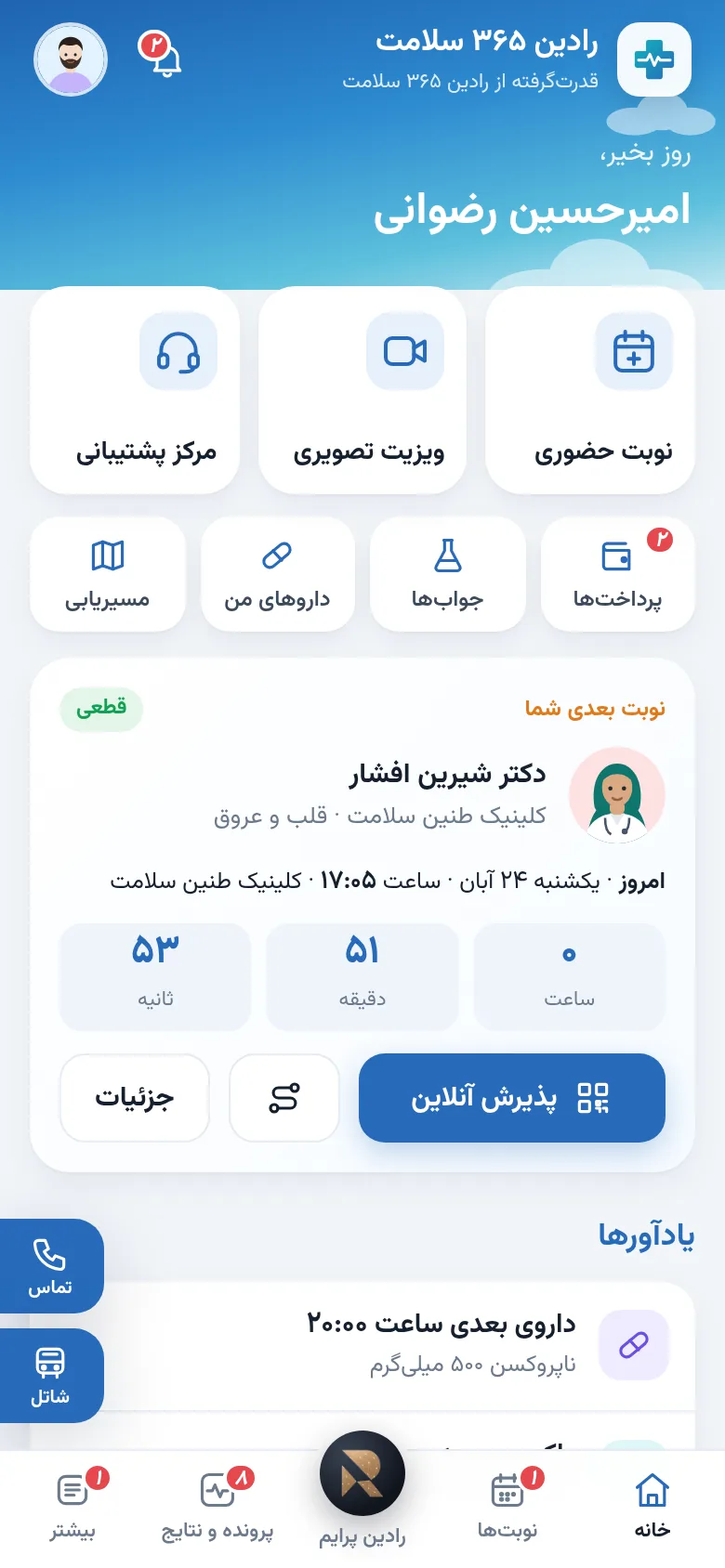
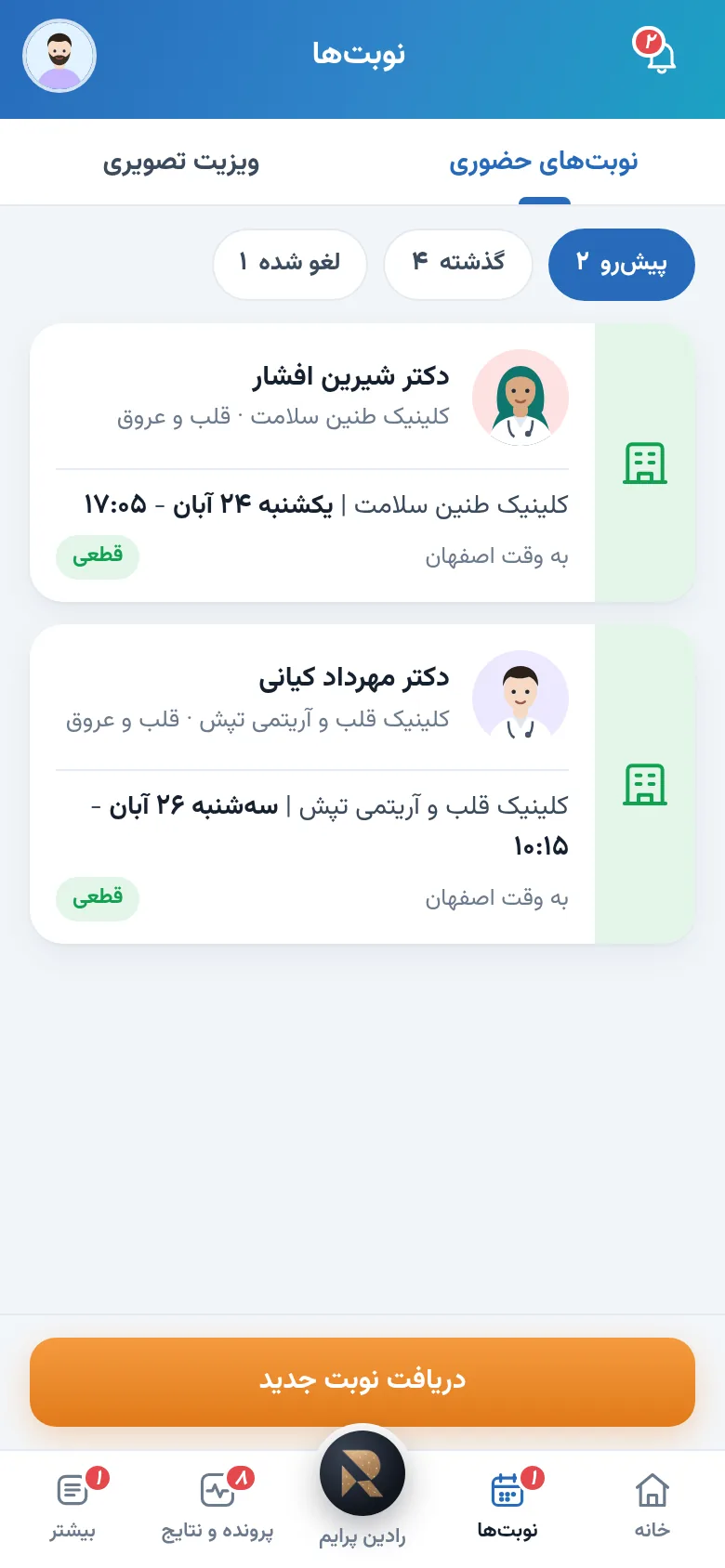
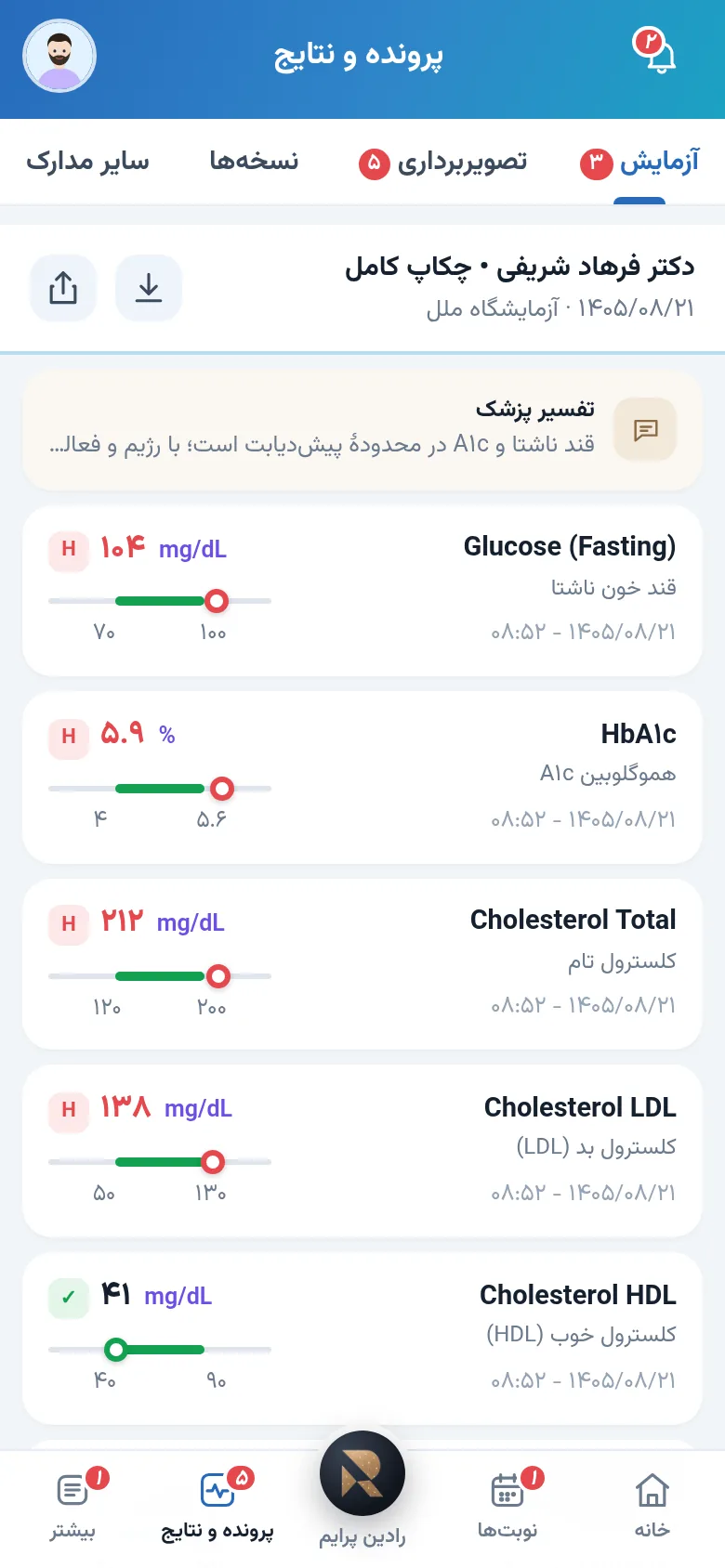
The patient books an appointment, sees results, pays and is followed up. These tasks are not separate from the centre’s software; they are the same database.
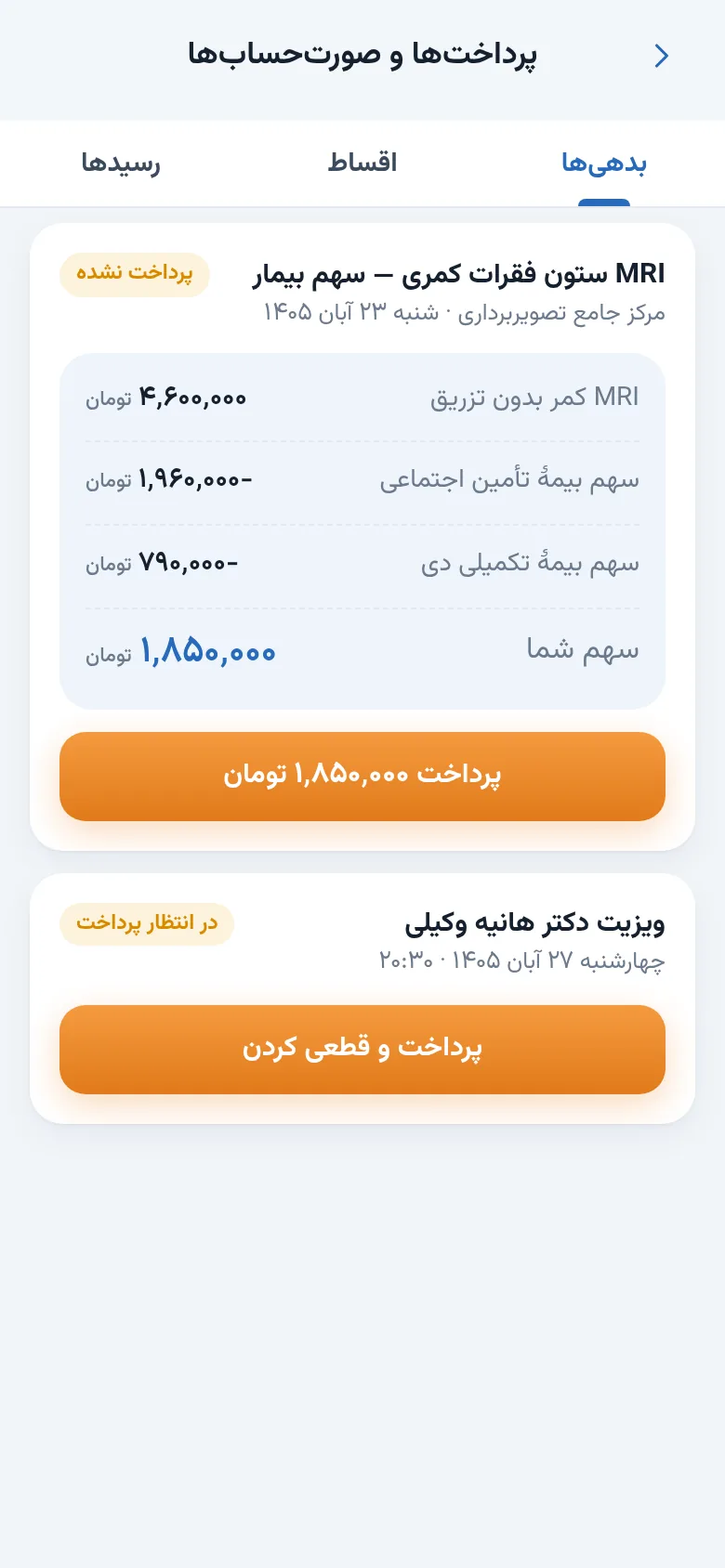

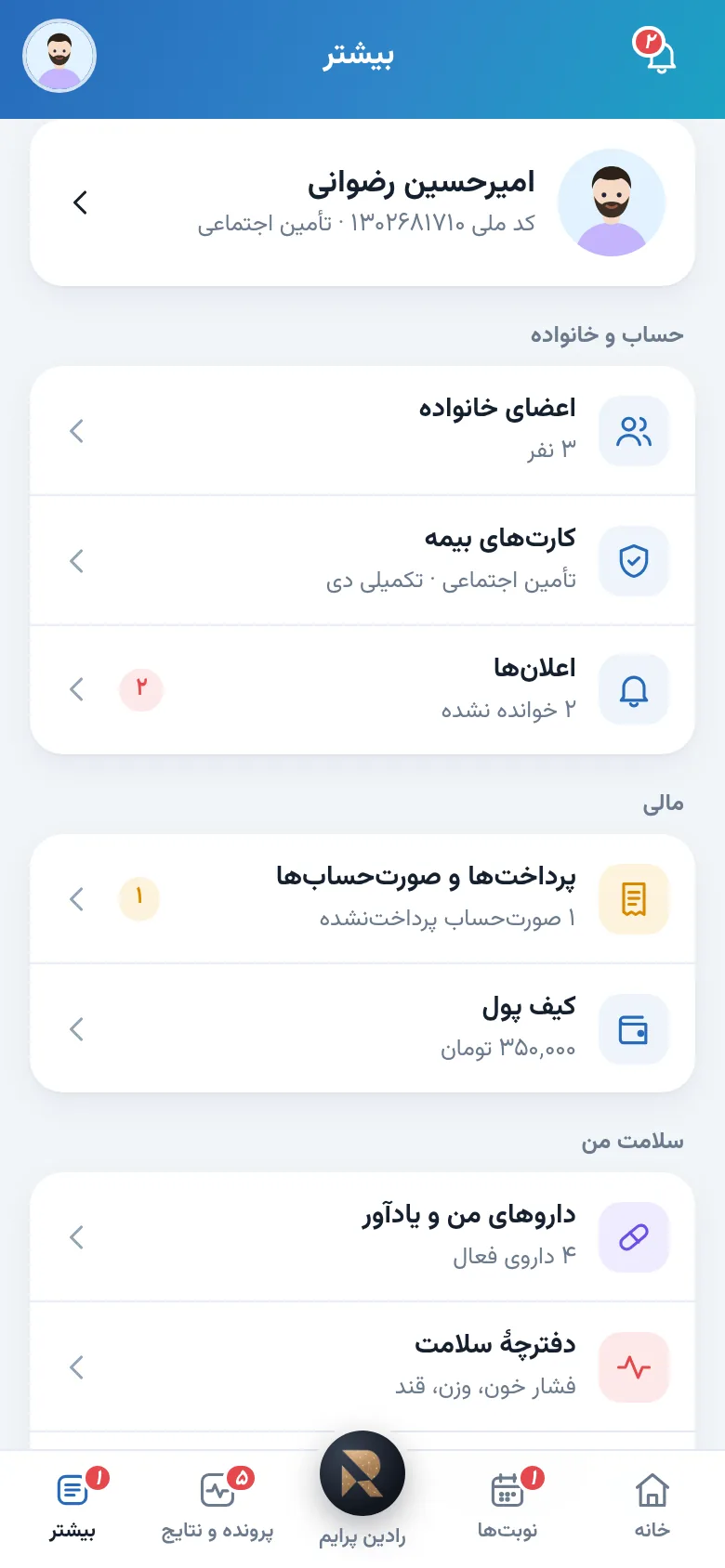
Rodin 365 Health sits on the same Rodin ERP. Accounting, inventory and purchasing, human resources and the approval workflow work alongside the record and treatment revenue. A separate island does not have to be built for each department.
Each phase can be used on its own. A precise timetable is given after the centre’s data and way of working have been seen.
A review of processes, a connection to existing data, validation of the information and a dashboard of indicators. A clear picture of the situation and the priorities is obtained — even before the software is fully deployed.
Bottlenecks and root causes are identified. Improvement scenarios and their operational and financial effect are reviewed, and the package of actions, with an owner and a monitoring indicator, is prioritised.
A staged go-live, a trial transfer of information, user training and the execution of actions with a workflow. Then support after operational work has begun.
Rodin is a product of the knowledge-based company Yecom Soft, and can be deployed on the centre’s own server.
Rodin has been used in an organization with a branch network and a high volume of daily operations. That record stands behind the ability to deliver large projects.
Rodin is web-based. Server capacity, user access and the backup method are reviewed and agreed before go-live.
If needed, Yekom Help can provide a dedicated server and data-security services for the centre.


The answers are written on the basis of the product’s capabilities and the way Rodin is deployed.
Yes. The combination of modules is chosen on the basis of the type of centre and its priorities. You can start with the record, appointments and admission, and finance, and then add the laboratory, imaging or specialist departments.
Yes. Rodin is web-based and can be deployed on the organization’s server. Capacity, access and backup are agreed before go-live.
Whether basic information, the required history and balances can be transferred is agreed after the current system’s structure has been reviewed. The transfer is first a trial, and the main reports are reconciled with the source data.
The product includes screens for insurance coverage, claims and deductions, submission to SEPAS, and data exchange with standards such as HL7, FHIR and DICOM. A practical connection to any external system depends on that system’s capabilities, and its scope is agreed in the project.
The manager asks their question and sees the answer with a data source. The assistant can prepare a draft action; execution takes place only after human approval, and is recorded.
No. The app works on the same database. The patient’s appointments, results, payment and messages are the same data that is seen in the centre’s software.
In the demonstration we review the record, appointments, treatment, revenue and management reports on the software itself, and we agree the path to start with you.